
English Pronunciation1.3 - Google Play
You'll be able to see results in few seconds.
Publisher Description
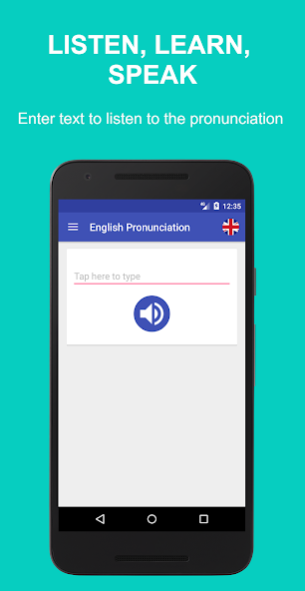
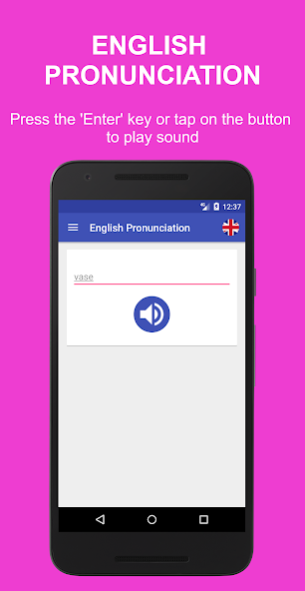

Improving your English pronunciation is possible even offline. Learn English pronunciation by listening to how words are pronounced and repeating them. It is important to learn the right pronunciation of English words from the beginning. Learn English the right way by practicing every day. Learn English daily through practice using English Pronunciation app to improve your English pronunciation of words.
English Pronunciation is a quick tool to reach out to when in doubt. Simply enter the text and you will hear a pronunciation of the word. Tap on the flag at the top right corner of the screen to select either American or British pronunciation. Learn the different pronunciations of words in British and American English.
Don't argue with friends over which pronunciation is American and which one is British. Just use this app to settle your differences. It is very useful to all, students, teachers, workers, etc. who may need to check the pronunciation of a word on the go. It is a simple app to help you learn and speak English the right way.
Improve your English speaking skills to prepare for the TOEFL, IELTS, and TOEIC exams. Speak confidently with your friends, boss, colleagues, and tourists. Good pronunciation is essential for learning, speaking and understanding spoken English well.
The ultimate mobile English pronunciation aid, for both students and teachers. The English Pronunciation app helps you learn, practice and play with British pronunciation and American pronunciation of words wherever you are. English Pronunciation app teaches you how to pronounce English text properly. English pronunciation: learn English, speak English, and speak it right!
Main Features:
- Clear pronunciation of words
- Simple straightforward interface
- American and British pronunciations
- Use the flag icon to select language
- History of learned words
- Swipe left to delete word
- Small app size
- Works offline
About English Pronunciation
The company that develops English Pronunciation is az-20 Apps. The latest version released by its developer is 1.3.
To install English Pronunciation on your Android device, just click the green Continue To App button above to start the installation process. The app is listed on our website since 2023-04-02 and was downloaded 0 times. We have already checked if the download link is safe, however for your own protection we recommend that you scan the downloaded app with your antivirus. Your antivirus may detect the English Pronunciation as malware if the download link to com.az_20.englishpronunciation is broken.
How to install English Pronunciation on your Android device:
- Click on the Continue To App button on our website. This will redirect you to Google Play.
- Once the English Pronunciation is shown in the Google Play listing of your Android device, you can start its download and installation. Tap on the Install button located below the search bar and to the right of the app icon.
- A pop-up window with the permissions required by English Pronunciation will be shown. Click on Accept to continue the process.
- English Pronunciation will be downloaded onto your device, displaying a progress. Once the download completes, the installation will start and you'll get a notification after the installation is finished.
Program Details
System requirements
Download information
Pricing
Version History
version 1.3
posted on 2023-04-02
Lots of code improvements to modern standards. Improved and migrated the database, improved data loading, and other library upgrades.
version 1.2.4
posted on 2017-11-19
- No sound problem for some devices fixed
- Overall bug fixes and improvements
- Faster loading time
- Help feature to assist with issues with only one accent available
- Swipe left to delete with option to cancel delete action
Disclaimer
Official Google Play Link
We do not host English Pronunciation on our servers. We did not scan it for viruses, adware, spyware or other type of malware. This app is hosted by Google and passed their terms and conditions to be listed there. We recommend caution when installing it.
The Google Play link for English Pronunciation is provided to you by apps112.com without any warranties, representations or guarantees of any kind, so access it at your own risk.
If you have questions regarding this particular app contact the publisher directly. For questions about the functionalities of apps112.com contact us.
